Copy text
as usual.
Turn on recording, then copy text with ⌘ C. ClipShelf automatically saves it to your clipboard history.
Save the text you copy on your Mac.
Click any saved item to copy it again. Completely free.
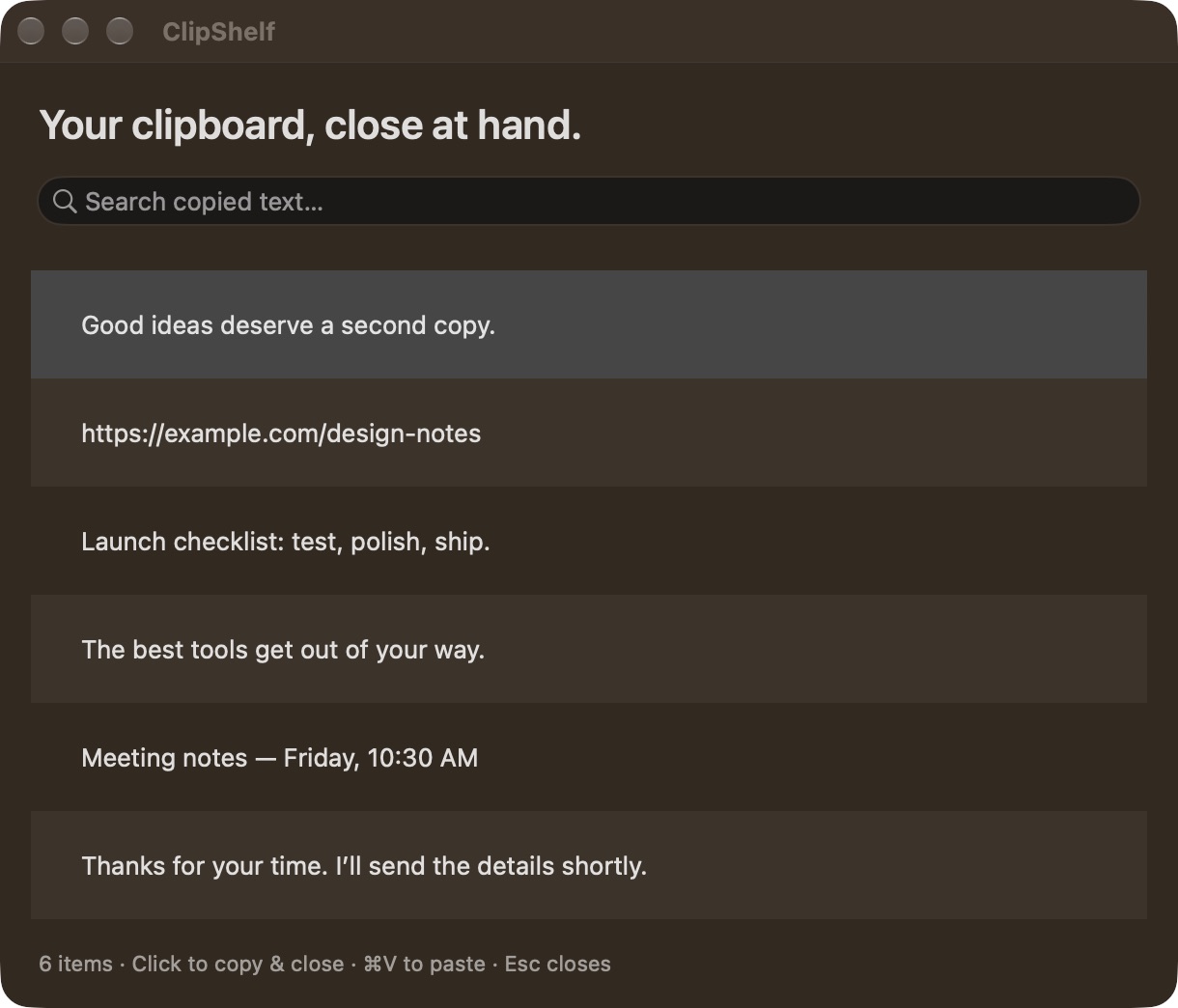
A free clipboard for everyday use.
ClipShelf saves the text you copy. Open your clipboard, find what you need, and click it to copy it again. That’s all.
For copied text, links and notes.
Saved locally on your Mac.
Turn on recording, then copy text with ⌘ C. ClipShelf automatically saves it to your clipboard history.
Press ⌃ ⌥ V to open your history. Type a word to find that link, line, or note again.
Click an entry to copy it. The window closes and returns you to your app. Press ⌘ V to paste.
Keep copied text in one place on your Mac.
Search for an item and click to copy it.
Your latest 200 text entries, ready when you are.
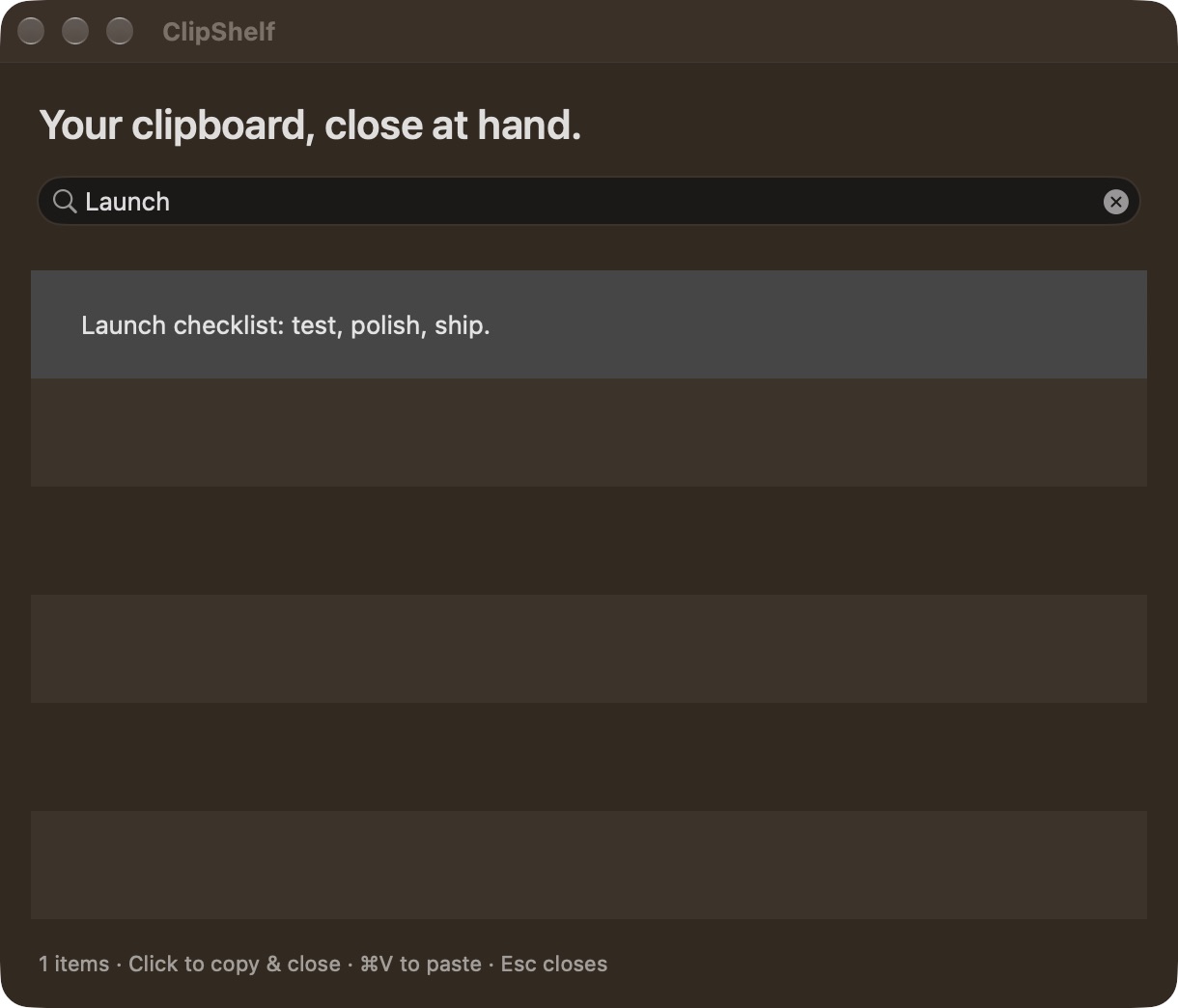
Search the words. Click the one you need.
The app makes no network calls. Your history lives locally, and you can pause recording or clear it from the menu bar.
History isn’t encrypted by the app. Known confidential clipboard markers are skipped, but ordinary sensitive text can still be saved.
The full privacy details ↗Download the app or install it with a terminal command.
 FREE
Unzip. Move ClipShelf into Applications.
Open it and start recording.
~ % your free clipboard
# No sudo. No subscription.Downloads the release, checks its SHA-256,
and installs to your Applications folder.
curl -fsSL https://raw.githubusercontent.com/Priyesh2005/clipshelf/main/install.sh | bashmacOS 13 or later · Apple silicon + Intel · Free under the MIT license
This release isn’t Apple-notarized, so macOS may require approval on first launch. See installation help ↗
Tested locally on Apple silicon; Intel and older macOS versions still need device testing.
This beta is locally signed but not Apple-notarized. Read Apple’s guidance before deciding whether to allow it. If you trust the download, macOS may offer System Settings → Privacy & Security → Open Anyway. Do not disable Gatekeeper. A managed Mac may not allow this beta.
Yes. Right-click the clipboard icon in your menu bar → Keyboard Shortcut. Choose Control–Option–V, Command–Shift–V, or Command–S. Command–S replaces Save while ClipShelf is running.
No. ClipShelf records new copies only while it is running and recording is enabled. It doesn’t import Spotlight history. Launch at Login is available in the menu and may require macOS approval.
Up to 200 plain-text entries, each up to 100 KB. Images, files and rich-text formatting aren’t saved. Clipboard checks run every 0.4 seconds, so very fast changes can be missed.
Yes. No trials or subscriptions. The Swift app, website and installer are on GitHub under the MIT license. You can inspect the code, build it, or suggest an improvement.
Disable Launch at Login, quit ClipShelf and delete the app. To remove saved history, delete ~/Library/Application Support/ClipShelfPublic. The terminal installer refuses to overwrite an existing ClipShelf installation.